Twitch Global Radar
LIVE
Verified mappings only; production access and freshness gates are green.
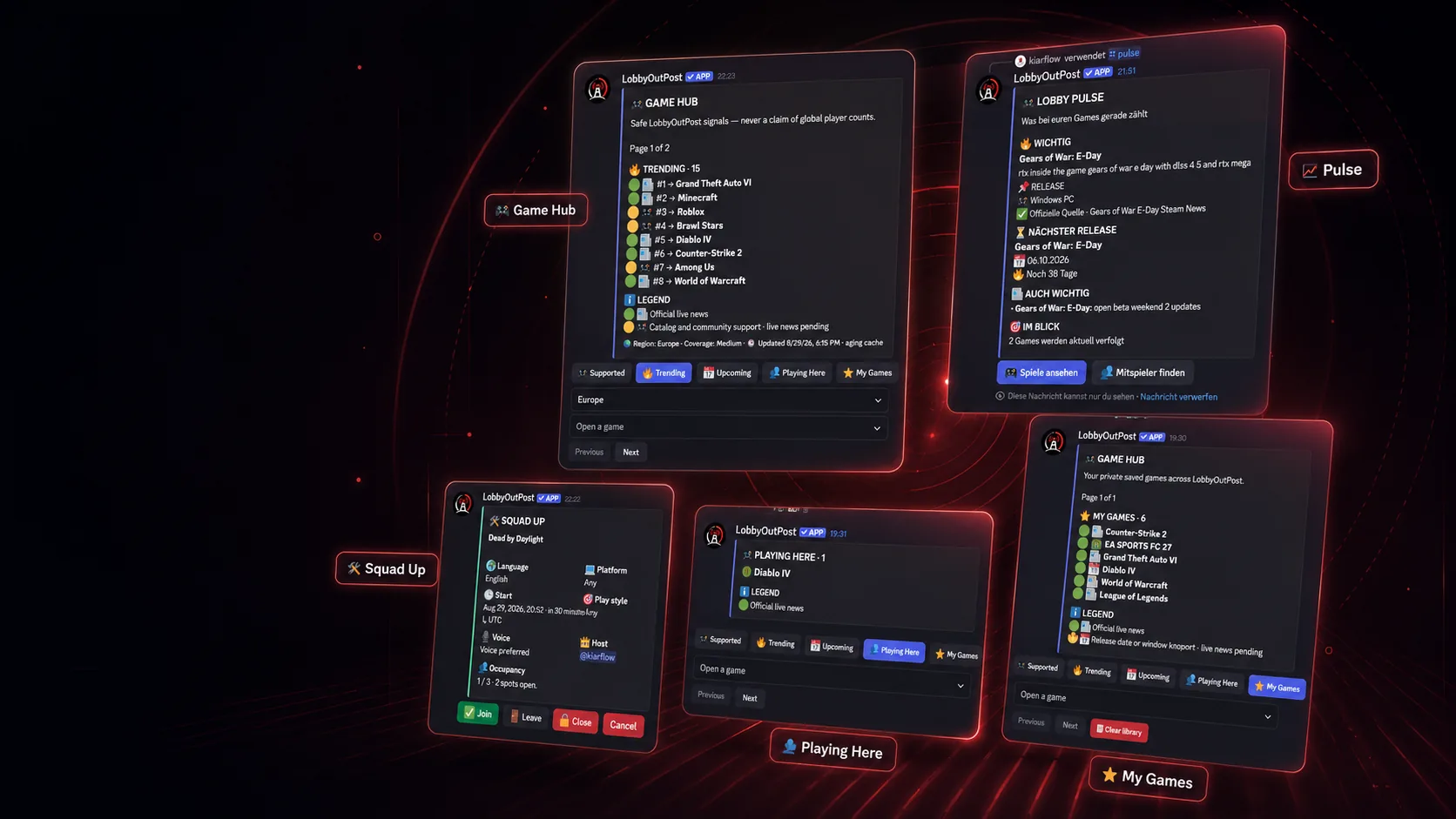
LobbyOutPost turns gaming signals into useful Discord action: see what is moving, open the right game, catch up with Pulse and build a squad — without reading ordinary chat messages.
Verified mappings only; production access and freshness gates are green.
YouTube is active as a discovery signal alongside official-first product sources.
Regional coverage and freshness are shown instead of claiming global player totals.
Supported games across multiplayer, co-op, live-service, MMO, PvP and survival.
LobbyOutPost connects discovery, context and play inside Discord instead of scattering them across separate tools.
See safe, source-backed activity signals from live platforms and product-controlled mappings.
Catch up fast on what matters for your server or a single game.
Browse Supported, Trending, Upcoming, Playing Here and My Games from one guided view.
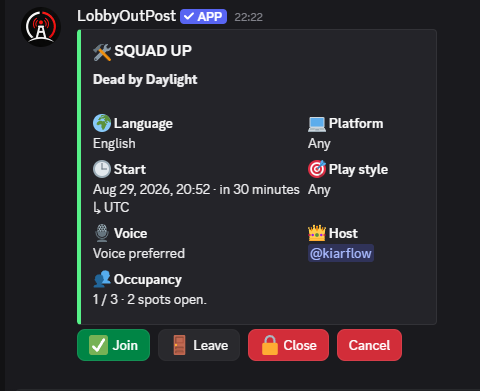
Turn intent into a structured squad with time, language, platform, playstyle, voice and slots.
Twitch Global Radar is live in production and YouTube is active. LobbyOutPost exposes coverage and freshness instead of presenting unverified “global player count” claims.
LobbyOutPost shows only sources that are actually ready. Unsupported providers are not presented as live.
Operator-verified category mappings only; production readiness gates are green.
Active discovery signal alongside official-first product sources.
Intentionally disabled until NAVER / CHZZK identity verification and readiness checks are complete.
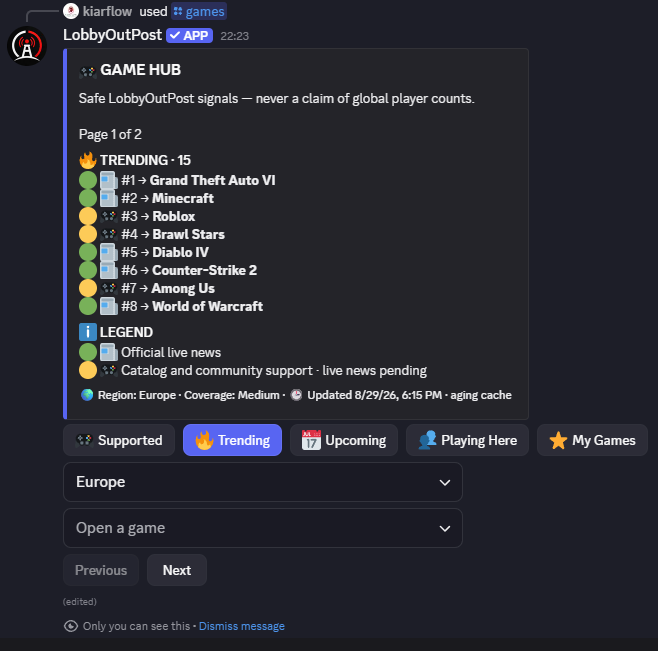
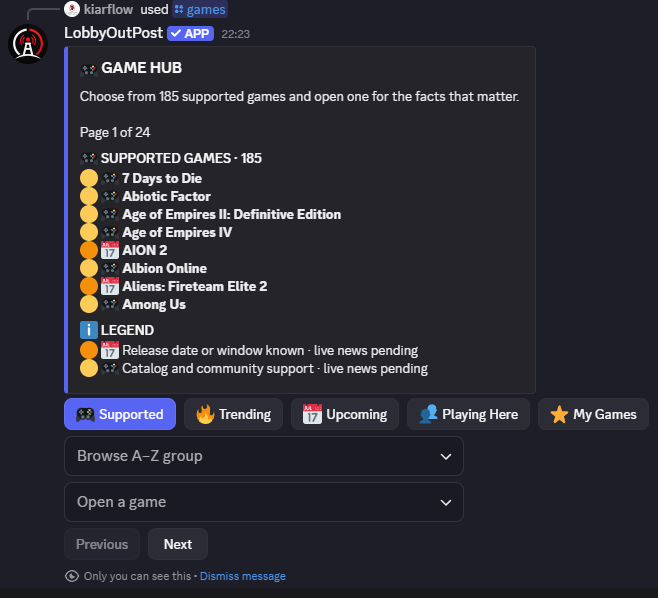
The guided Game Hub is built for members who do not know the exact game name or Slash parameters. Start broad, then move into the view that matters.
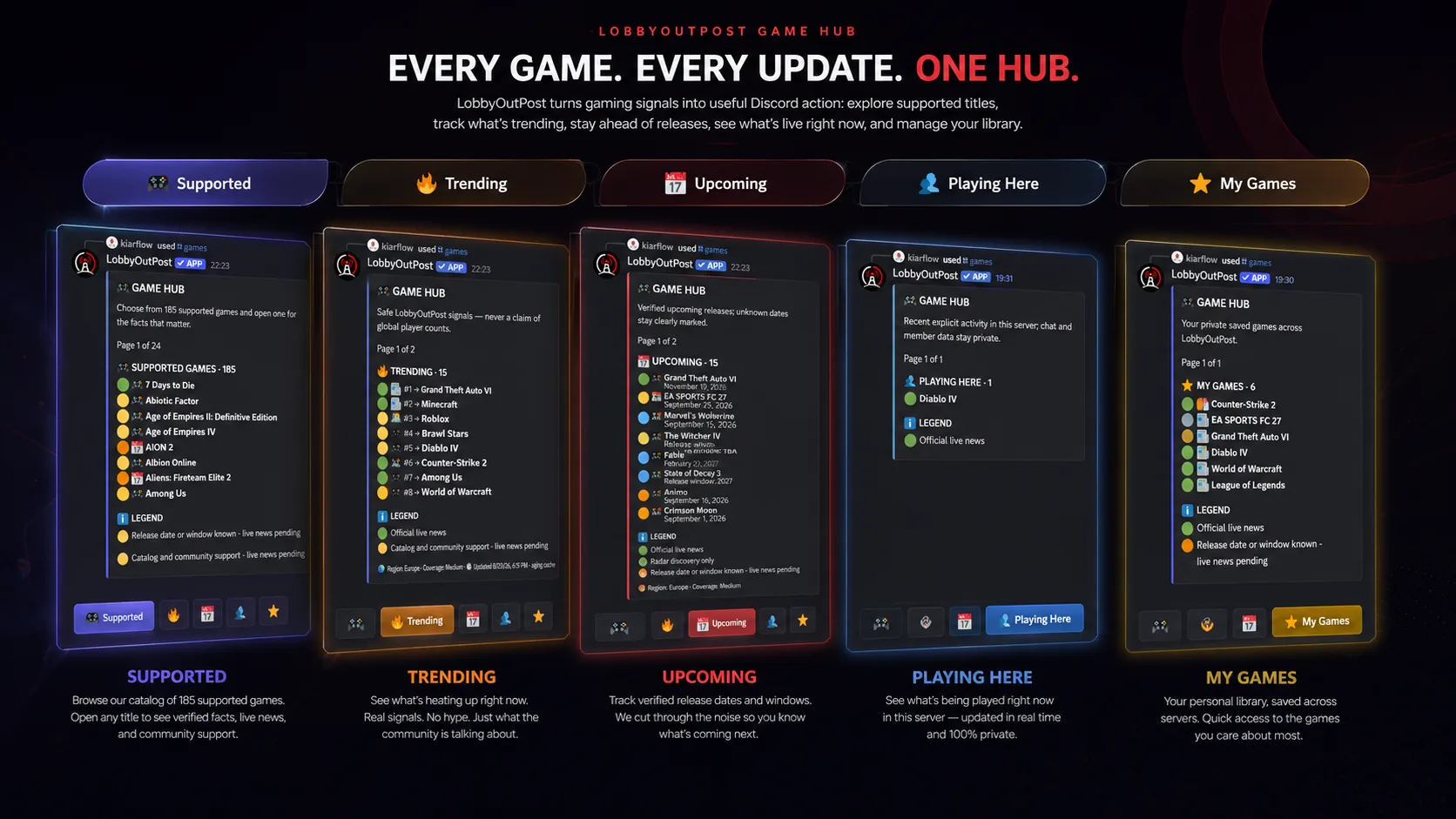
Browse the current supported catalog. A–Z browsing lets members start without typing an exact game name. This is the reliable baseline for LobbyOutPost game features.
See which supported games are moving in the selected region using available discovery signals, coverage and freshness. Trending is explicitly not a claim of global player counts.
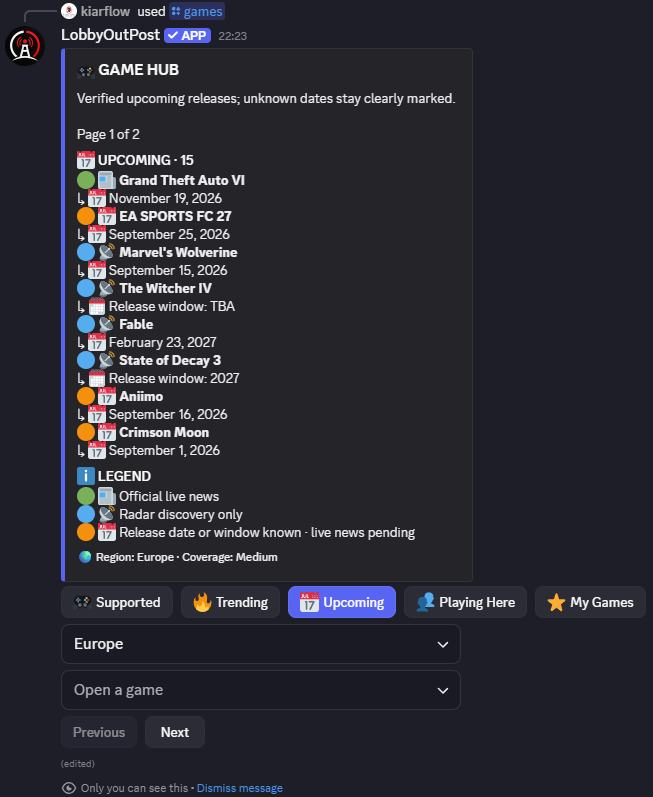
Browse future multiplayer and co-op releases with official dates or release windows where known. Unknown dates stay TBA, and an upcoming game does not become squad-eligible before release.
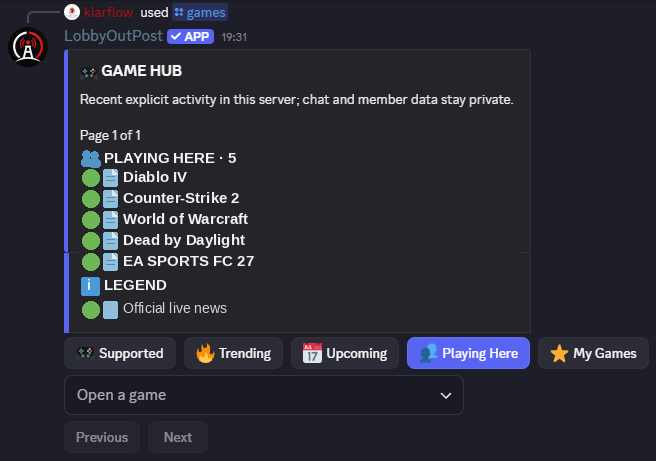
Move from the full catalog into the games that matter in the current Discord context. Playing Here is the community-facing shortcut inside the Game Hub — without pretending it is a global population metric.
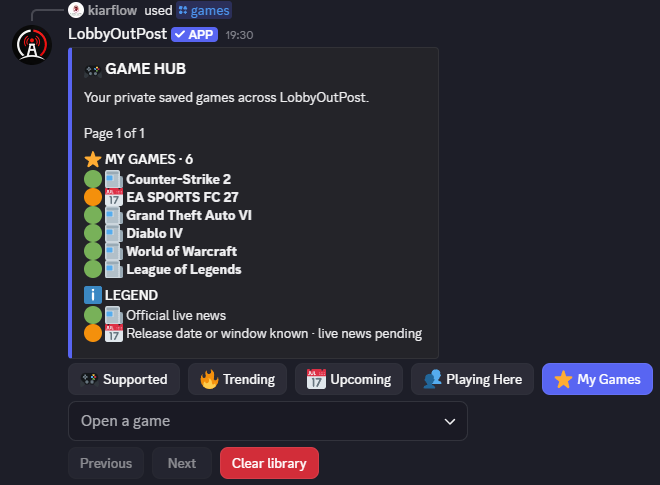
Open the games you personally follow in LobbyOutPost. My Games keeps your tracked titles separate from global discovery and server-context views, so you can get back to your own list quickly.
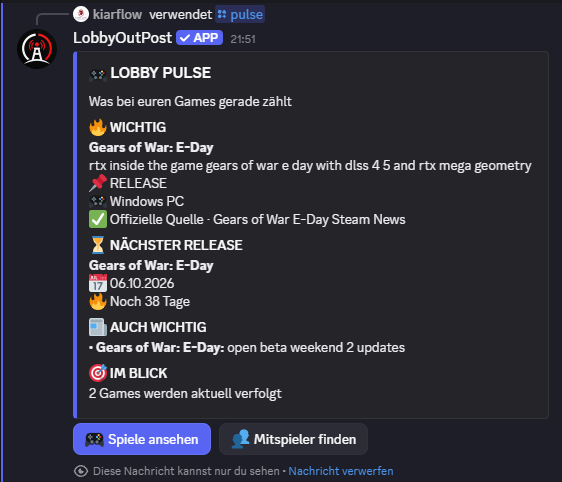
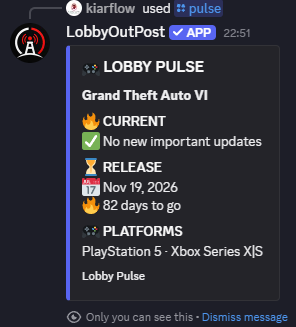
Pulse compresses the important context into a quick Discord view: current relevance, releases, platforms and what your server is following.
Squad Up creates one structured public post while the surrounding command flow stays private. Members see the information they need and can join without chat clutter.
The product is intentionally conservative about what it reads and what it posts.
Private/ephemeral by default so personal lookups do not spam channels.
Squad cards are the deliberate public exception because other members need to join them.
LobbyOutPost does not need to read ordinary server conversations to provide its core flows.
No Administrator permission and no Message Content, Guild Members or Presence access for the core bot.
The full legal documents remain part of the website and are linked directly here.
Install LobbyOutPost on the server with the configured app permissions.
Choose locale, defaults and the channels your community already uses.
Follow the games that matter and optionally add game-specific channel routing.
Members can use Game Hub, Pulse, Countdown, Status, Follow/Unfollow and Squad Up.
LobbyOutPost is being built with gaming communities, not around vanity metrics. The Free Core remains the foundation while optional server-specific customization can grow later without weakening the core experience.